Solution

One intelligent layer across models, drawings, workflows, and the field.

Live Drawings, Connected Workflows, Publish & Review, AI Intelligence, and Real-Time Insights — the connective tissue for commercial construction, from design to operate.

The Problem

Construction isn't short on data.
It's short on answers.

Teams aren't failing because they lack solutions. They're failing because the solutions don't talk to each other — and the drawing, the one thing everyone shares, sits disconnected from everything else.

Plans and specs are the contract. They are treated like a file.

Plans and specs are the contract. They are treated like a file.

Every trade references it, every inspection traces back to it, every RFI starts from it — but the drawing sits as a static PDF with no live connection to the decisions, changes, and field activity it's supposed to govern.

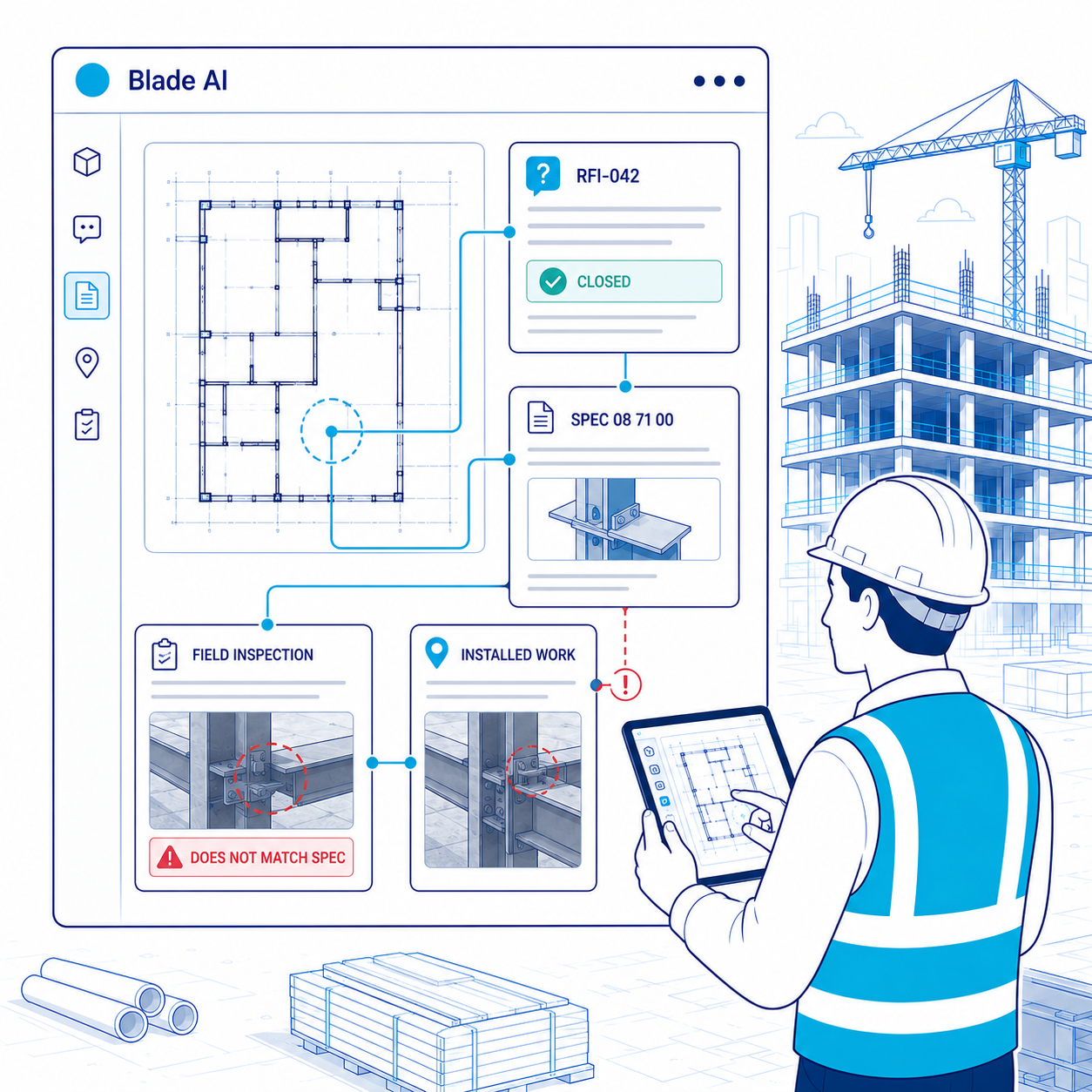
RFI's close. The question doesn't.

RFI's close. The question doesn't.

An RFI gets answered and marked closed. The answer never makes it back to the drawing. The inspector never sees it. Weeks later, field work is done the wrong way — and the RFI that would have prevented it was technically resolved.

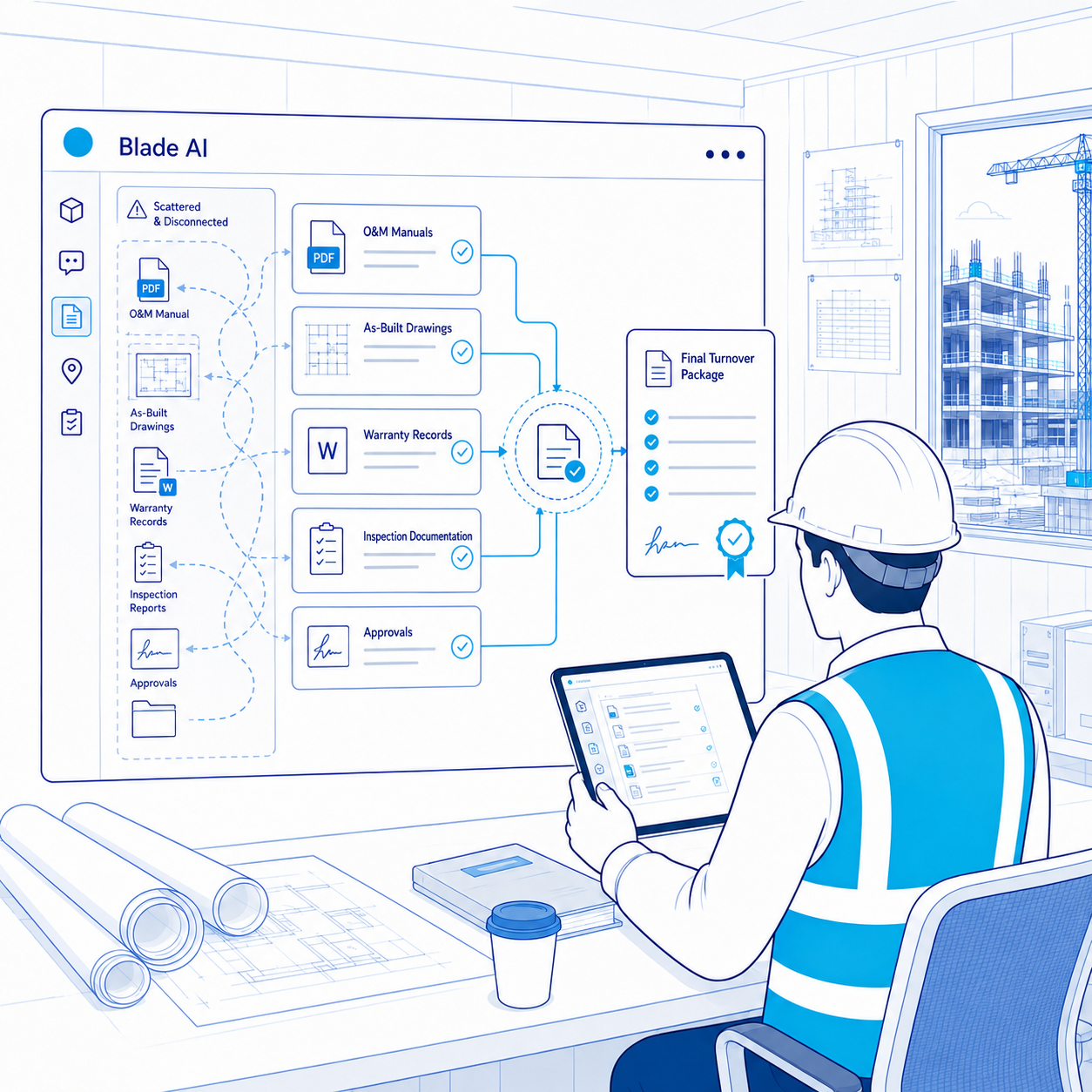
Closeout is built from scratch. Every time.

Closeout is built from scratch. Every time.

At the end of every project, PMs spend weeks chasing O&M manuals, as-builts, warranty records, and inspection documentation — manually assembling what should have been connected all along. Owners receive a folder. The intelligence disappears.

The Solution

From project files to a
connected construction baseline.

blade ai publishes, conditions, classifies, and connects project information so every team can work from the same trusted baseline, organized for the way they work.

01

Bring the project together

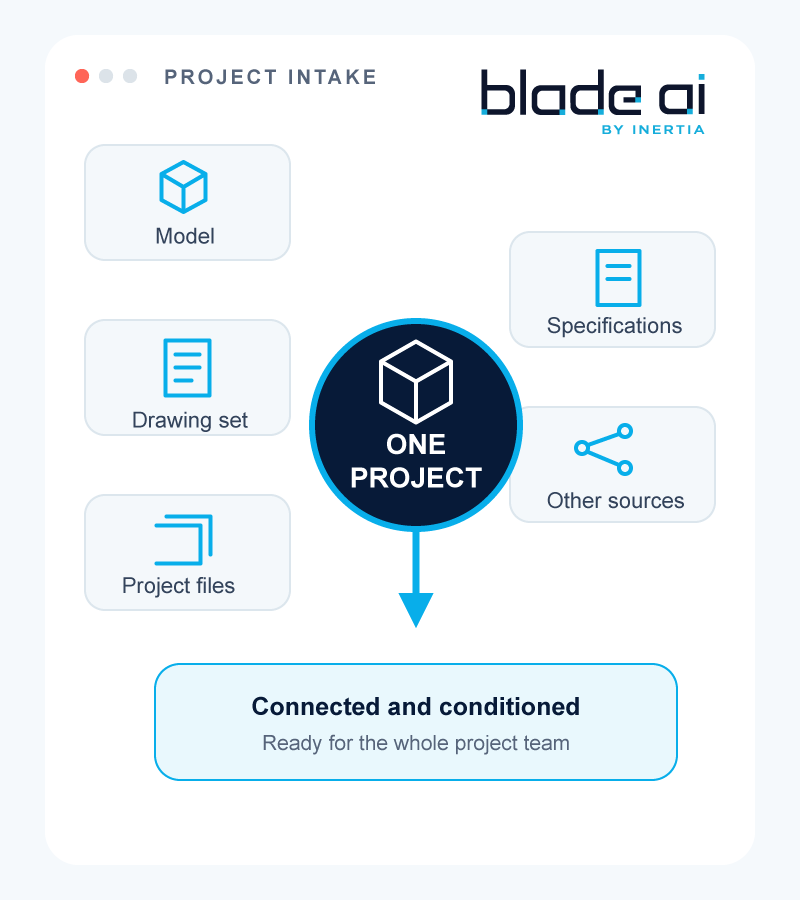
Models, drawings, and project files enter one connected environment

Projects begin with information coming from different sources. blade ai brings models, drawing sets, and supporting documents into one place, then prepares the data for use across the project.

Project intake: models, drawings, specifications, and files converging into one project
1 / 7
The magic that makes this possible: Blade Reference Layer

One baseline.
One project truth.
Endless intelligence.

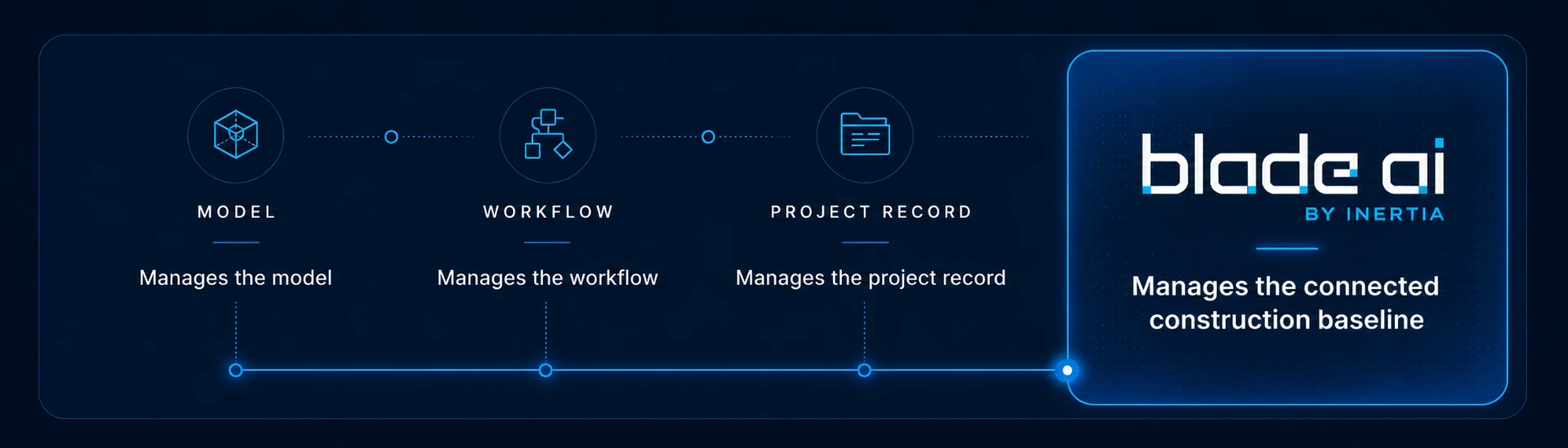
The Blade Reference Layer is the intelligence layer that connects every piece of project information into one trusted project baseline — linking drawings, models, forms, inspections, RFIs, submittals, and decisions into a connected construction graph.

Model, workflow, and project record connecting into the blade ai connected construction baseline

Every project starts with one blade ai Node. Its name is the Project. From that first node, blade ai connects drawings to models, models to categories and assets, forms to inspections and requirements, RFIs and submittals to the drawings and decisions they impact. Not a static folder structure. Not another disconnected database. A living project baseline.

See the Connections Come to Life

Watch how blade ai turns scattered project information into connected intelligence.

The video shows how a project begins with one central point and expands as drawings, models, workflows, assets, approvals, inspections, and decisions are added.

01
One node. One truth.

Every object connects to the baseline

Every drawing, model, inspection, RFI, submittal, and form connects to the Blade Reference Layer. When something changes, every connected object knows. The baseline maintains itself — so teams stop hunting and start building.

02
The drawing as interface

Live drawings, not PDF archives

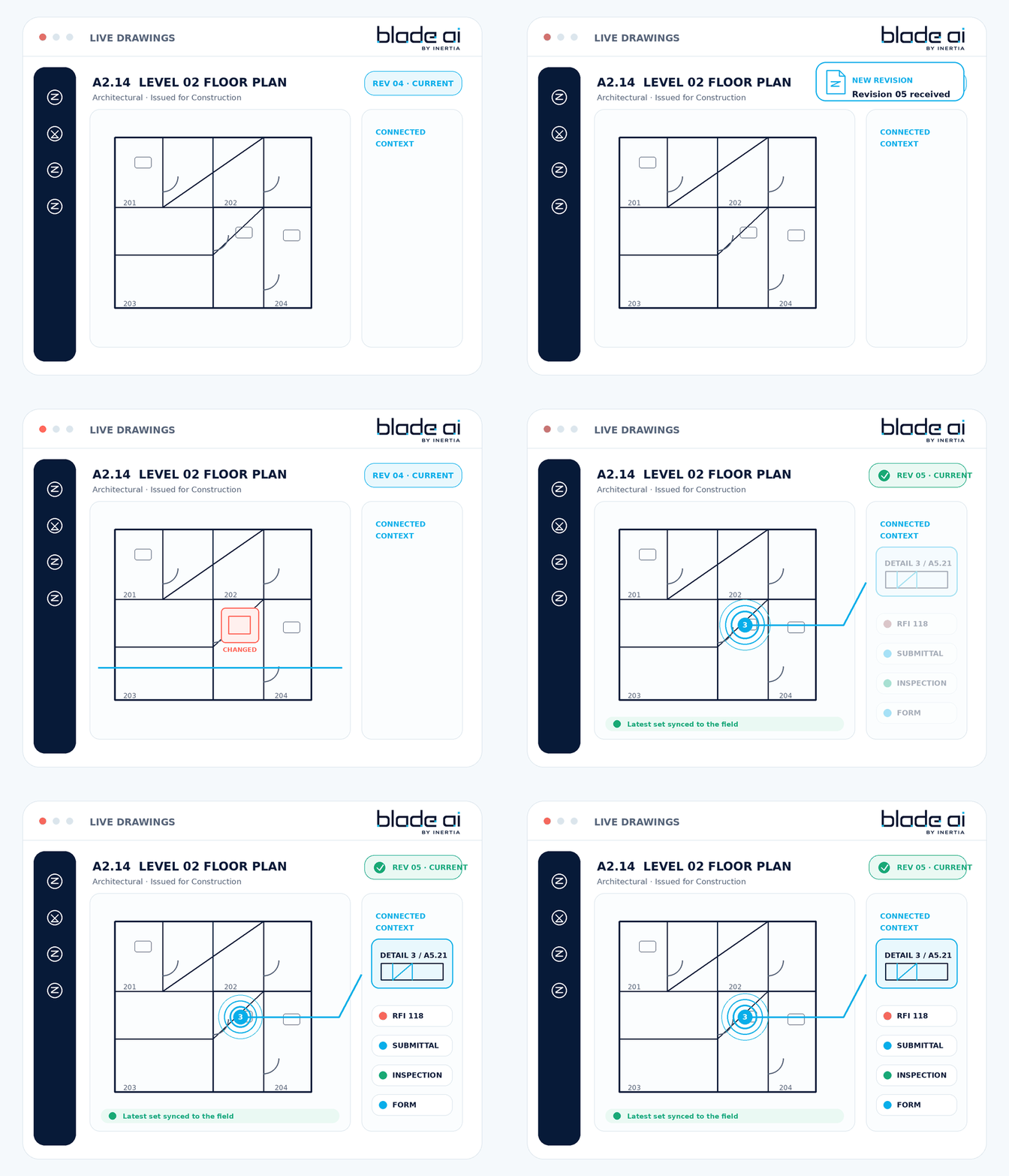
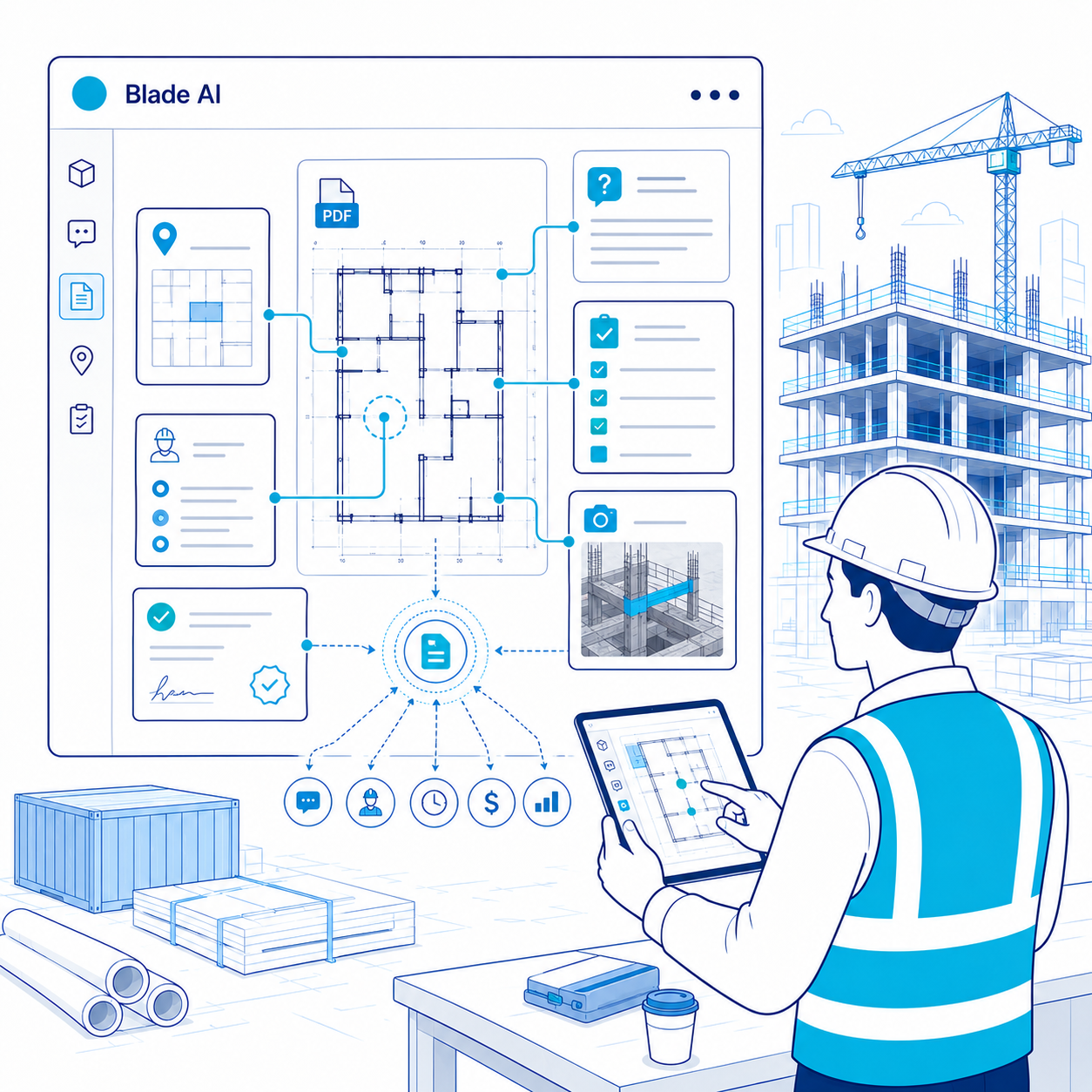
blade ai turns every drawing into a connected, object-aware workspace. Each element connects to its spec section, RFI thread, submittal status, inspection history, and turnover record. The drawing stops being a file and becomes the interface into your project.

03
Additive

Enhances your stack — doesn't replace it

All your project management tools stay in place. blade ai connects as the intelligence layer that reads, classifies, and links the data inside your existing tools — making every system smarter without disrupting how teams work today.

Five Capabilities

Everything your project needs.Connected through the drawing.

Purpose-built capabilities that work together as a single solution — so information never has to be re-entered, re-explained, or rebuilt from scratch.

Capability 01

Live Drawings

The set the field actually uses — always current, always connected.

Every sheet is versioned, indexed, and linked to the work it describes. Callouts resolve to details, revisions are captured automatically, and the field never has to guess whether they are looking at the current set.

  • Drawing quality checks: Missing references and revision conflicts surfaced before they reach the field.
  • Connected context: Tap a sheet or location to see related forms, RFIs, submittals, and inspections.
  • Automatic version control: Every revision captured and comparable side by side.
  • Smart navigation: Callouts and referenced details connected across the set.
Live Drawings product demo
Seven Spectacular Features

Everything in depth.
One intelligence layer.

Select any product to explore it in detail — what it does, how it works, and what it connects to.

Building Blocks
Workflows + Output

Every element connected, classified, and ready to use.

blade ai ingests native and open model formats in the background, without requiring someone to open the original authoring software. Every model element is classified, connected to related project information, and made searchable automatically.

  • Background publishing: Models and revisions are processed on a schedule, reducing manual exports and coordinator effort.
  • Multi-format model ingest: Native and open model formats are processed through the same connected project structure.
  • Persistent element addressing: Every element receives a unique, persistent identity so forms, RFIs, submittals, inspections, and decisions can remain connected to it throughout the project.
  • Connected project context: Model elements link to drawings, specifications, forms, inspection history, submittals, and project decisions.
  • Accessible to the entire team: Stakeholders can find and use model information without needing access to the original authoring software.
When you join the project, blade ai joins with you

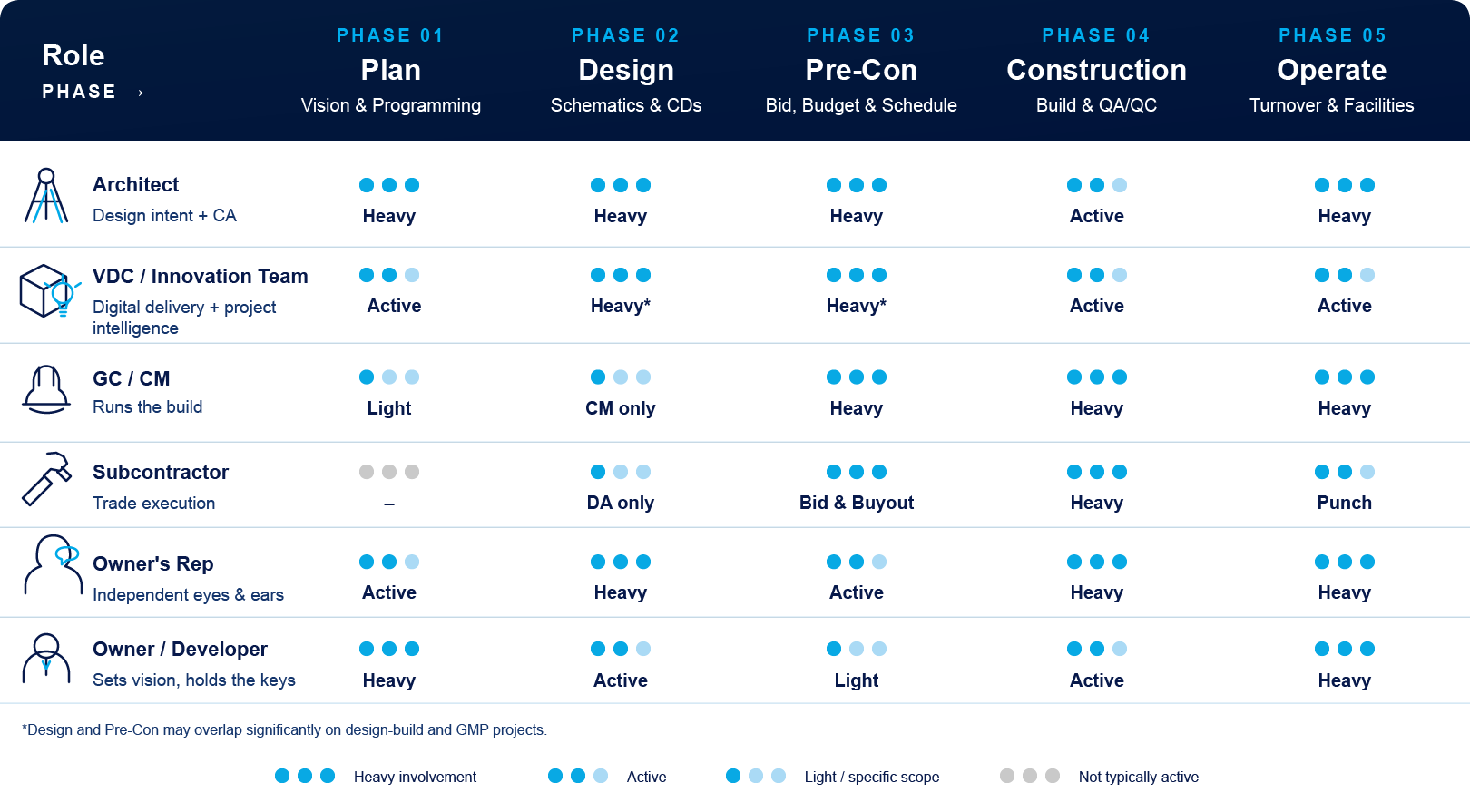
Six roles. Five phases.
One drawing that follows.

Construction projects don't start clean and they don't end clean. Each role enters and exits at a different phase — and historically, every handoff loses data. blade ai™ is the layer that picks up where you do.

Matrix of five construction roles across five project phases showing involvement level per phase

However early you sit in the project, and however late you enter — blade ai carries the building intelligence with you. The drawing doesn't get re-explained at every handoff. It picks up where the last role left off.